
Ongoing WMS Finago Office 3PL invoicing integration
The invoicing integration is intended to be used by warehouses who wish to export invoices from Ongoing WMS' invoicing module to Finago Office, previously known as 24SevenOffice. Read more here about Ongoing WMS 3PL invoicing. The integration is very useful for logistics providers (3PL) that wish to seamlessly export accurate invoicing documentation into Finago Office!
Get started
To be able to activate the integration following the below information is needed.
- Username and password for the API. The customer can get this information by contacting Finago.
Note: it is only your representative at Ongoing that can set up this integration.
Setup
To be able to export invoices from Ongoing WMS to Finago Office there are a few things that must be setup correctly first.
The invoices will be placed as orders in Finago Office which then can be invoiced in the ERP.
-
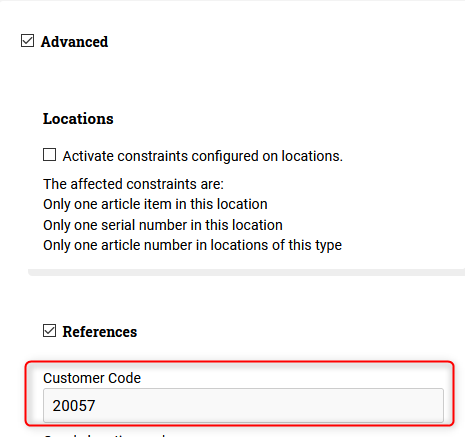
The value in the field Advanced⇒References⇒Customer code must be the customer ID that the goods owner has in Finago Office:
-
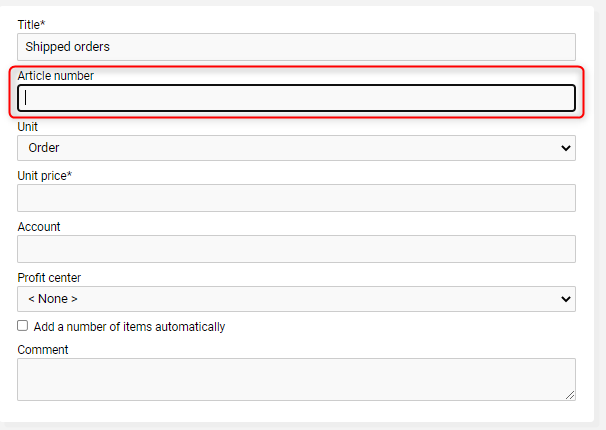
Every price list must have an article number. This number should be the same as the product ID in Finago Office:
-
The invoice title in Ongoing WMS will be set as order title and the generated invoice ID in Ongoing WMS will be set as reference number in Finago Office.
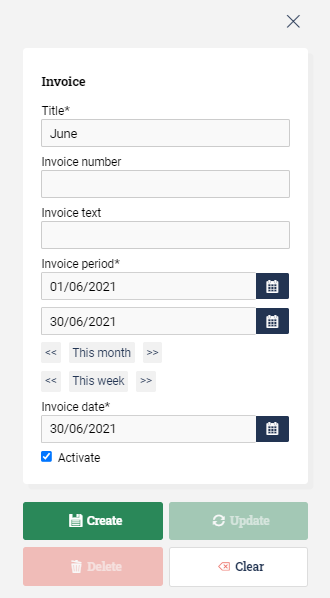
It is possible to update the order in Finago Office if the order is not invoiced in the ERP.