Advisor
Table of contents
Introduction
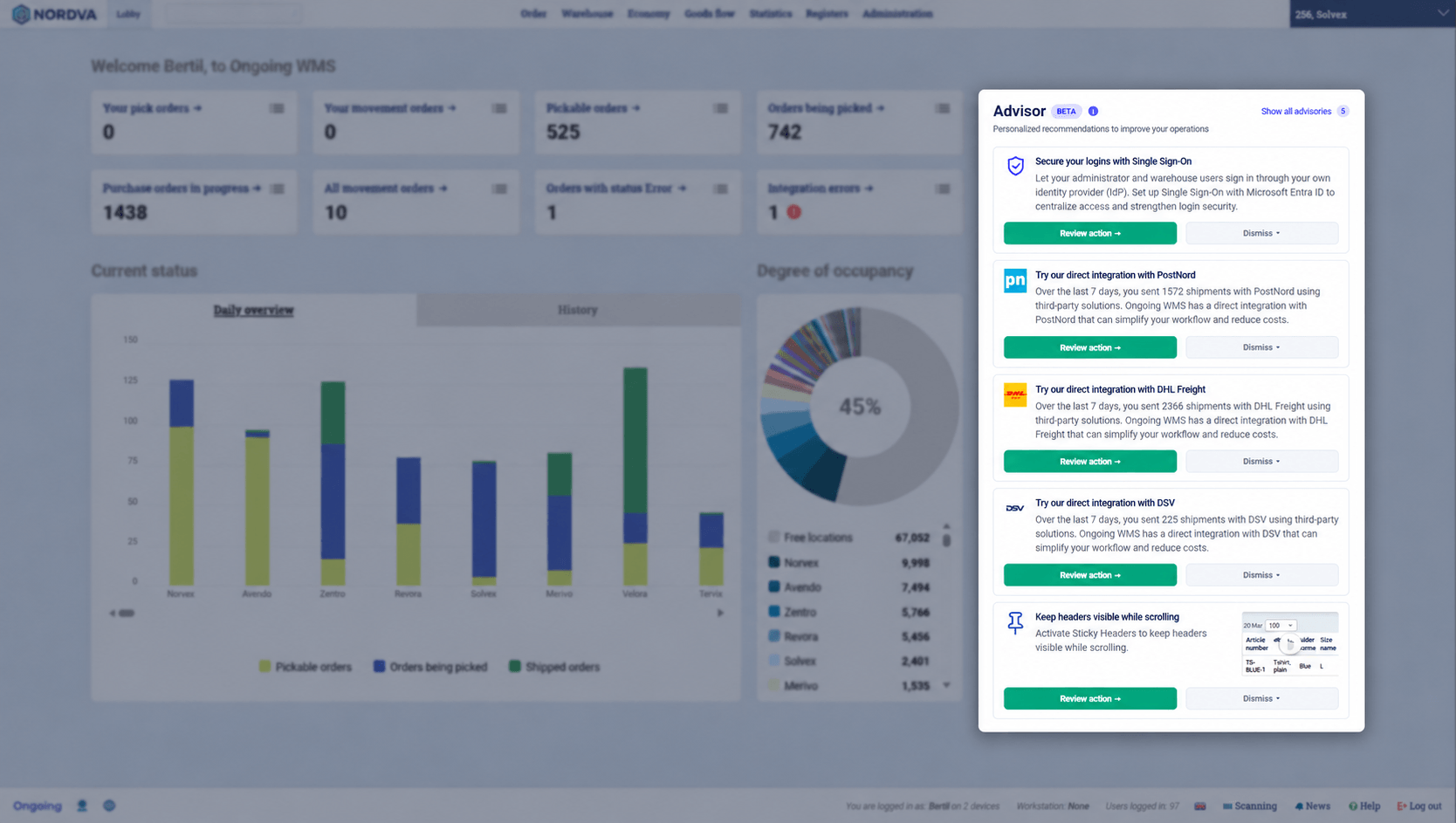
The Advisor gives administrators personalized recommendations, called advisories, for how to get more out of Ongoing WMS. It looks at how your system is set up and used, and suggests functionality which could make your warehouse operations more efficient, reduce errors or strengthen security.
Each advisory explains what the recommended functionality does and helps you get started with it, for example by taking you directly to the right settings page or by linking to the relevant documentation.
The Advisor is currently in beta. It is included in your current subscription plan for testing and evaluation purposes, but it might not be included in the future.
Where to find the Advisor
The Advisor is shown as a panel on the start page for administrators, under the heading Advisor. The panel shows a selection of your active advisories. To see all of them, click Show all advisories in the top right corner of the panel. The number next to the link is the total count of active advisories.
The advisories are personal to you. You will only see advisories which are relevant for your system and for which you have access to the pages needed to act on them.
Dismissing and restoring advisories
If an advisory is not relevant for you, you can dismiss it. Dismissing an advisory only affects your own user. Other administrators will still see it.
Show all advisories
Click Show all advisories in the top right corner of the Advisor panel to see every advisory for your system. The advisories are divided into two groups:
- Active - all your active advisories, including those not currently shown in the panel. You can review or dismiss them from here as well.
- Dismissed - the advisories you have dismissed. Click Restore to bring a dismissed advisory back to the panel.